
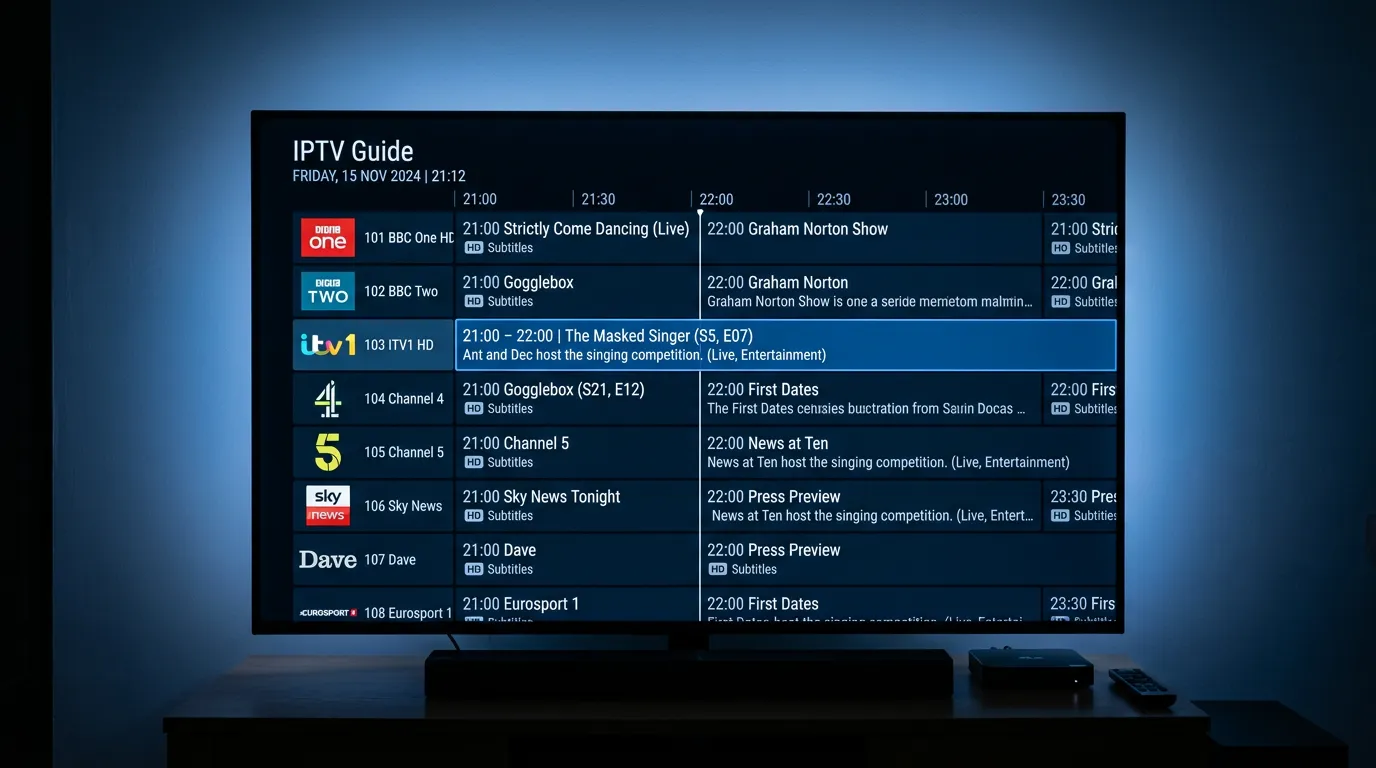
You have finally set up IPTV. The channels load. The streams are smooth. And then you look at the programme guide and it is either blank, wrong, or showing yesterday’s schedule. Suddenly your shiny new IPTV setup feels like a mess.
The EPG — Electronic Programme Guide — is one of the most overlooked parts of an IPTV service in the UK. Most people do not think about it until it does not work. But a good EPG is the difference between IPTV that feels like proper television and IPTV that feels like guesswork.
What Is an IPTV EPG?
The EPG is the on-screen programme guide that shows you what is currently on, what is coming next, and what aired earlier. It is the grid view you see when you press the Guide button — programme names, times, channel logos, all laid out clearly.
On traditional Sky or Virgin Media boxes, the EPG is taken for granted. It always works, it is always accurate, and it updates automatically. On IPTV, the EPG comes from your provider’s server and the quality varies dramatically between services.
A good IPTV EPG shows accurate programme listings for every channel, updates in real time, supports catch up navigation, and displays channel logos. A bad one shows blank rows, incorrect times, or nothing at all.
Why Does EPG Quality Vary So Much?
Maintaining an accurate EPG across thousands of channels requires constant work. Programme schedules change, channels rebrand, and time zones shift. A provider that cares about the viewing experience dedicates resources to keeping the EPG updated daily.
Budget providers often use free, publicly available EPG sources that are inaccurate or outdated. The result is programme names that do not match what is actually on, times that are off by an hour, and channels with no EPG data at all. It saves the provider money but ruins the experience for the viewer. For more on what separates quality providers from budget ones, see the best IPTV providers UK comparison.
How to Check If Your EPG Is Working Properly
Open your IPTV app and navigate to the EPG or Guide view. Check a few things.
Are programme names showing for the current time slot? If the rows are blank, your EPG source is not loading.
Do the programme times match what is actually on? Tune into BBC One and check if the EPG matches the live broadcast. If it is showing a programme that aired an hour ago, the EPG time zone is wrong.
Are channel logos displaying? Missing logos usually indicate an incomplete or poorly configured EPG source.
Can you scroll backwards to access catch up? If catch up is supported but the EPG does not scroll back, the archive URLs are not configured correctly.
Tired of a Broken EPG?
If you have been through the frustration of staring at blank programme listings or wrong schedules, you already know how much a bad EPG ruins the IPTV experience. It turns what should feel like proper television into a confusing mess where you have no idea what is on or when.
Golden TV is one of the few UK-focused providers that actually maintains a clean, accurate EPG across all major UK channels. Programme names match the live broadcast, times are correct, and the guide scrolls back seven days for catch up. It sounds basic, but it is surprisingly rare among IPTV providers.
If EPG quality matters to you — and it should — reach out to Golden TV on WhatsApp and see the difference for yourself.

How to Fix EPG Problems on IPTV
EPG not loading at all: In TiviMate, go to Settings > EPG > Update. Force a manual EPG refresh. If it still does not load, your provider’s EPG URL may be down — contact them.
Wrong times on the EPG: Check your IPTV app’s time zone setting. It should be set to GMT or BST depending on the time of year. In TiviMate, go to Settings > EPG > Time Shift and adjust.
Missing channel logos: Logos come from the EPG source or the playlist. If they are missing, your provider’s playlist may not include logo URLs. Some apps like TiviMate can source logos independently — check the logo settings.
EPG data disappearing after a day: Your app may not be refreshing the EPG automatically. In TiviMate, set EPG to auto-update every twelve hours. In Smarters, check the EPG refresh interval in settings. If you are using a Firestick, see the best IPTV for Firestick guide for app-specific tips.
For more troubleshooting, see our IPTV supplier reliability guide.
Frequently Asked Questions
What is EPG on IPTV?
EPG stands for Electronic Programme Guide. It is the on-screen TV guide that shows you what is on each channel, what is coming next, and what has already aired.
Why is my IPTV EPG blank?
Your provider’s EPG source may be down, your app may not be configured to load EPG data, or your provider simply does not offer EPG for all channels. Try refreshing the EPG manually in your app settings first.
Can I add my own EPG source to IPTV?
Yes. Apps like TiviMate allow you to add external EPG URLs. Free EPG sources like xtream-editor.com or epg.best can supplement your provider’s data, though accuracy varies.
Does EPG work with catch up?
Yes. The EPG is how you navigate catch up content. Scroll backwards through the guide to find programmes that have already aired and select them to watch.
Which IPTV app has the best EPG?
TiviMate is widely regarded as having the best EPG layout and functionality. It is clean, fast, customisable, and integrates catch up seamlessly. For a complete breakdown of all the top IPTV apps, see the IPTV apps UK guide.
Do all IPTV providers include EPG?
Most do, but the quality varies enormously. Some providers have full, accurate EPG across all channels. Others have partial coverage or inaccurate data. Always test the EPG during a trial before committing.
The Bottom Line
The EPG is what makes IPTV feel like television instead of a random list of streams. Without a working programme guide, you are just clicking channels and hoping for the best. With a good one, you know exactly what is on, what is coming, and what you missed — across every channel, every day.
Do not settle for a provider with a broken EPG. It is one of the clearest signs of a service that cuts corners.
For more guides, see our IPTV vs satellite TV comparison and our IPTV reseller UK explainer.
This website is for informational purposes only. We may recommend third-party services based on user feedback and testing. All trademarks belong to their respective owners.